
Glyph Jotv0.7.10Jot anywhere, record meetings
Talk. It types.
Glyph Native installs Glyph Jot and keeps it up to date.
- Hold Fn to jot
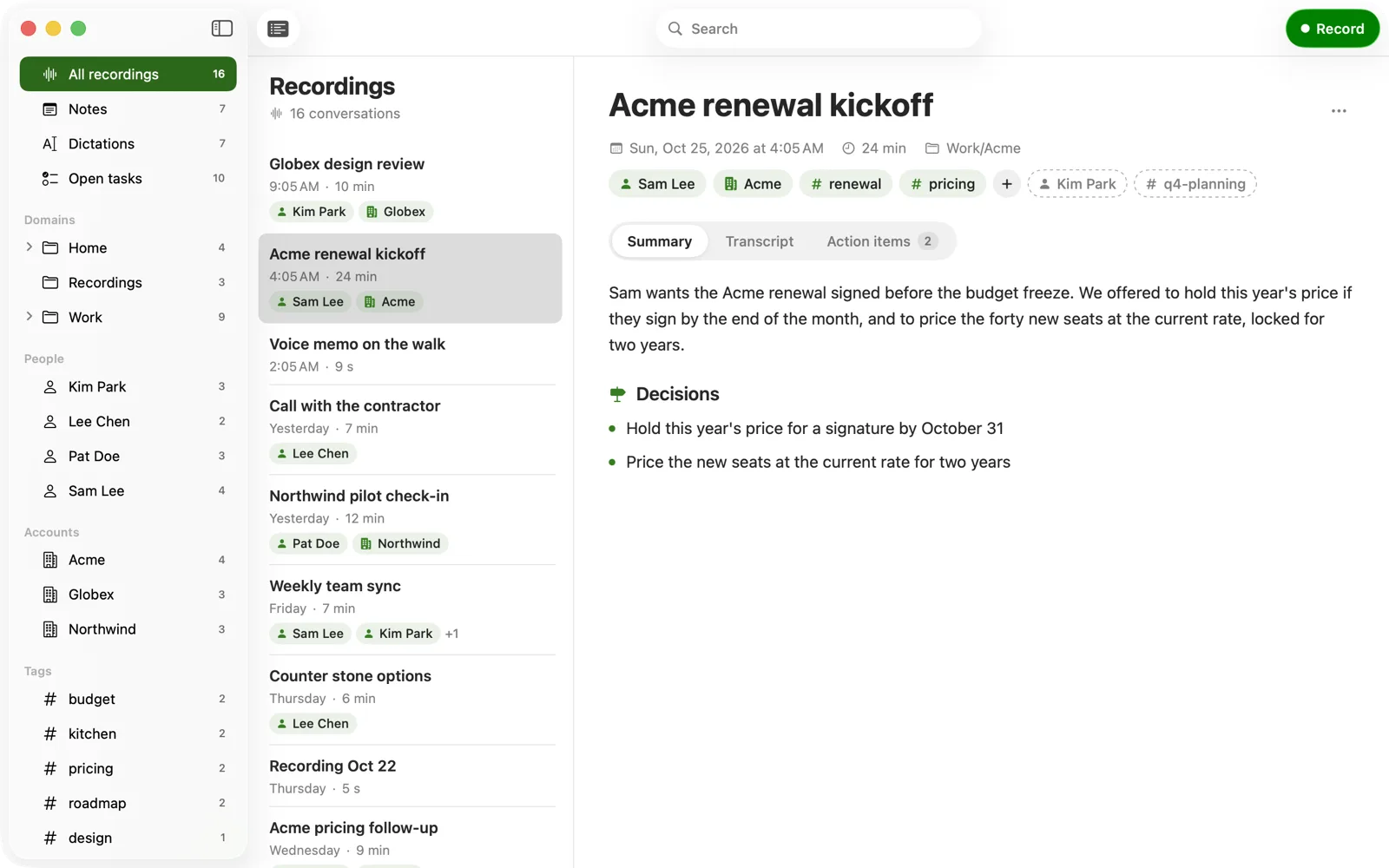
- Click Record for meetings











Types into any app. Records any call.








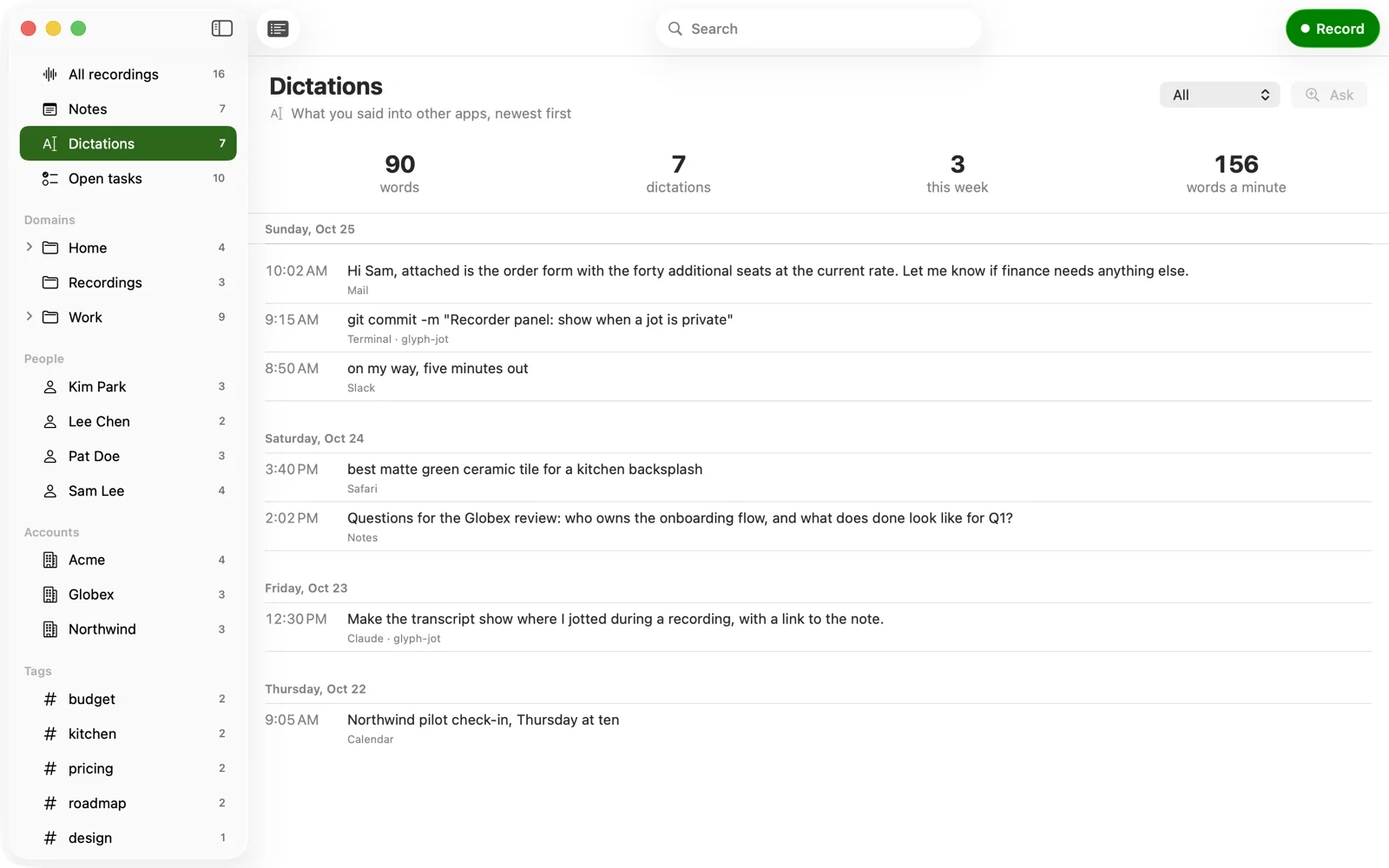
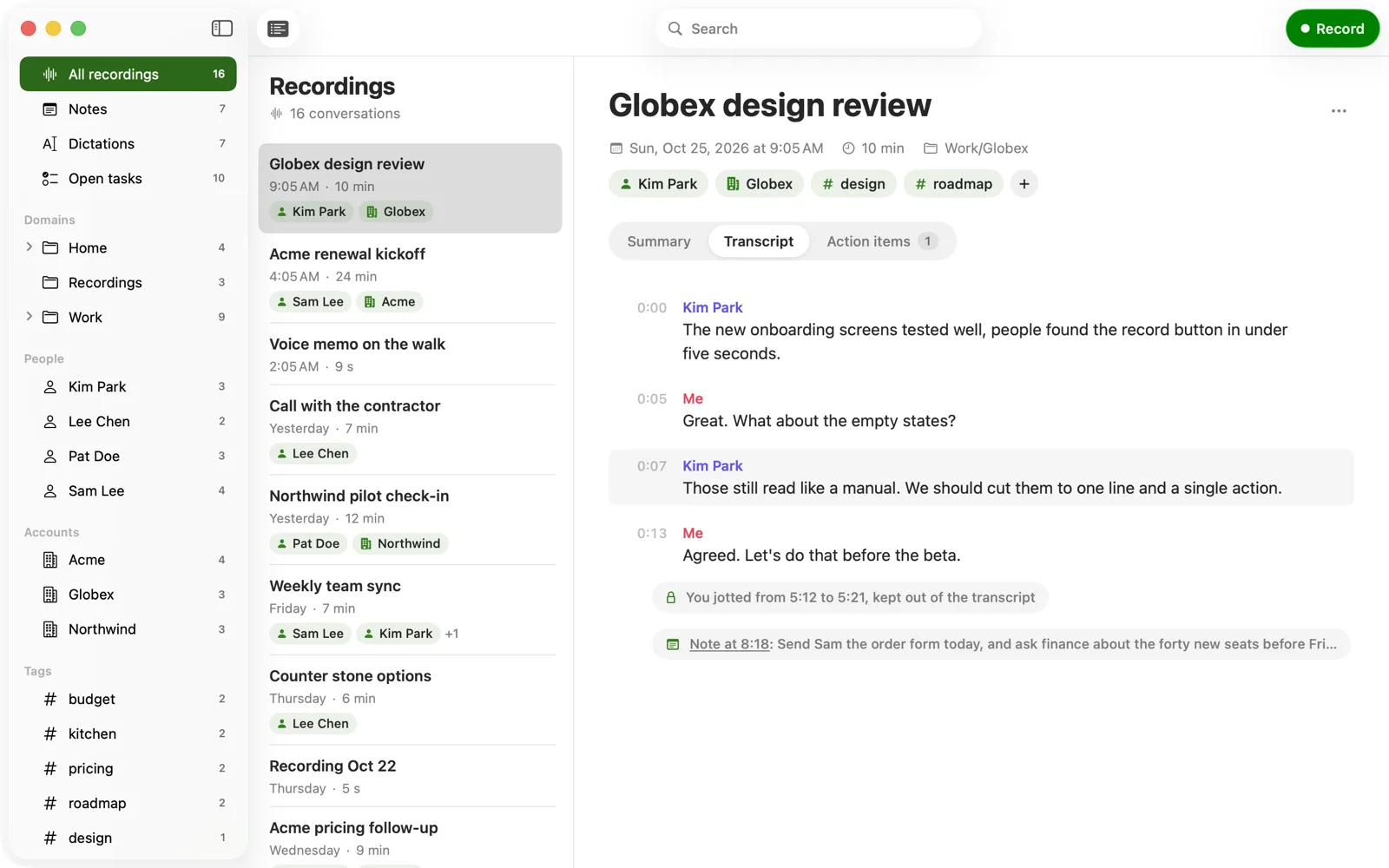
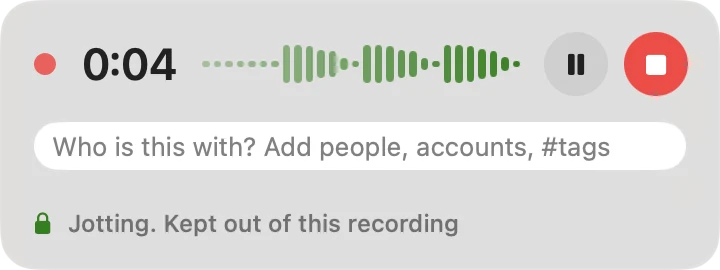
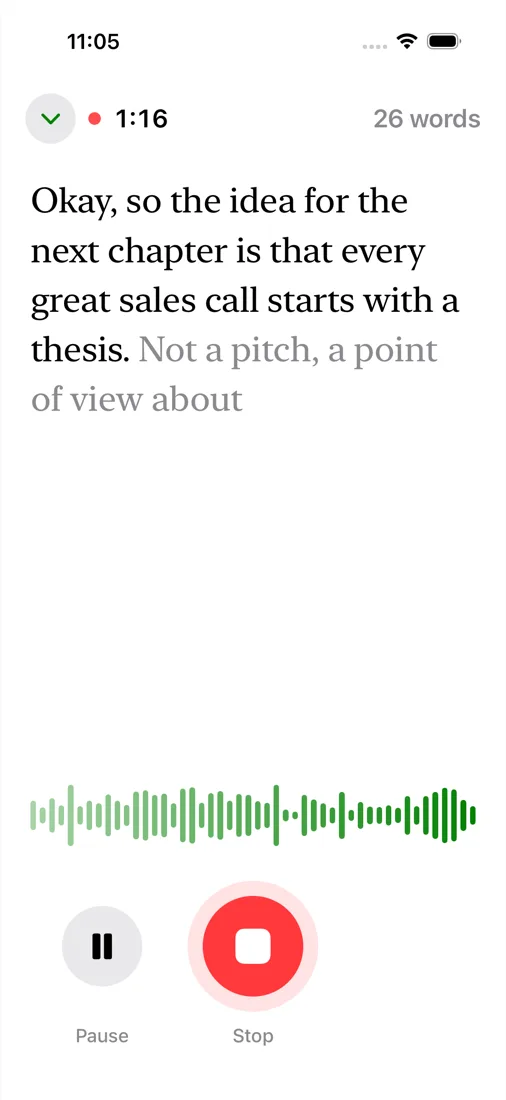
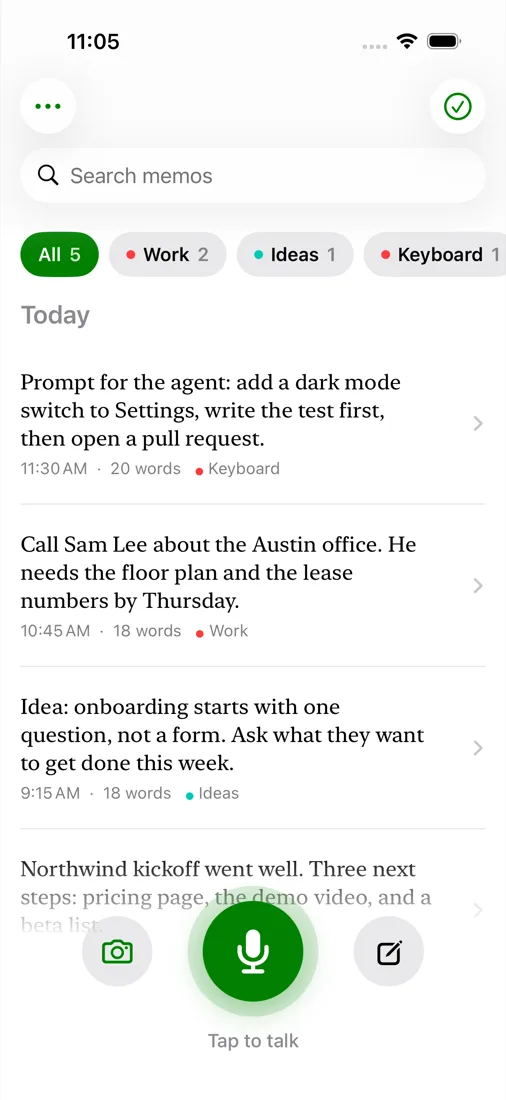
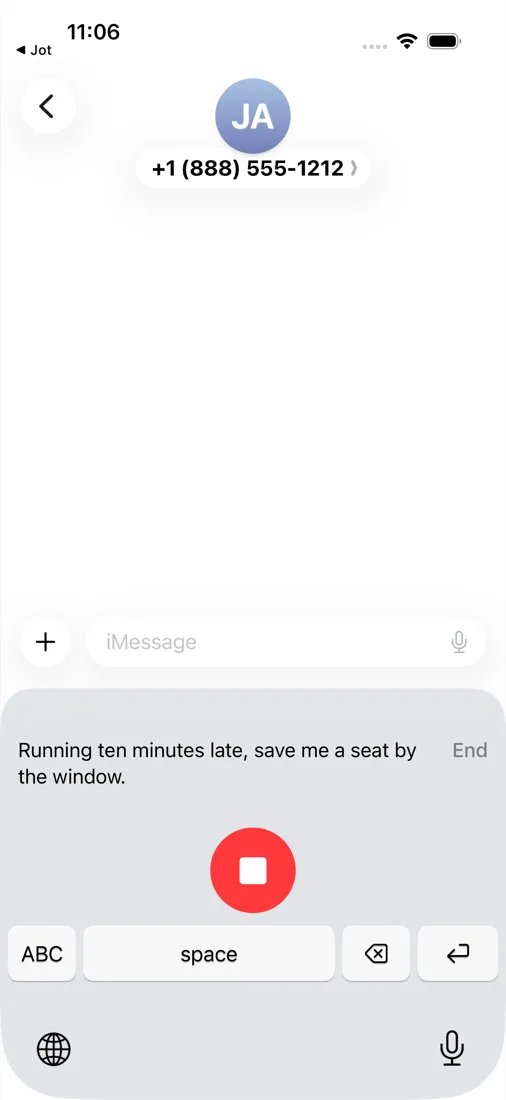
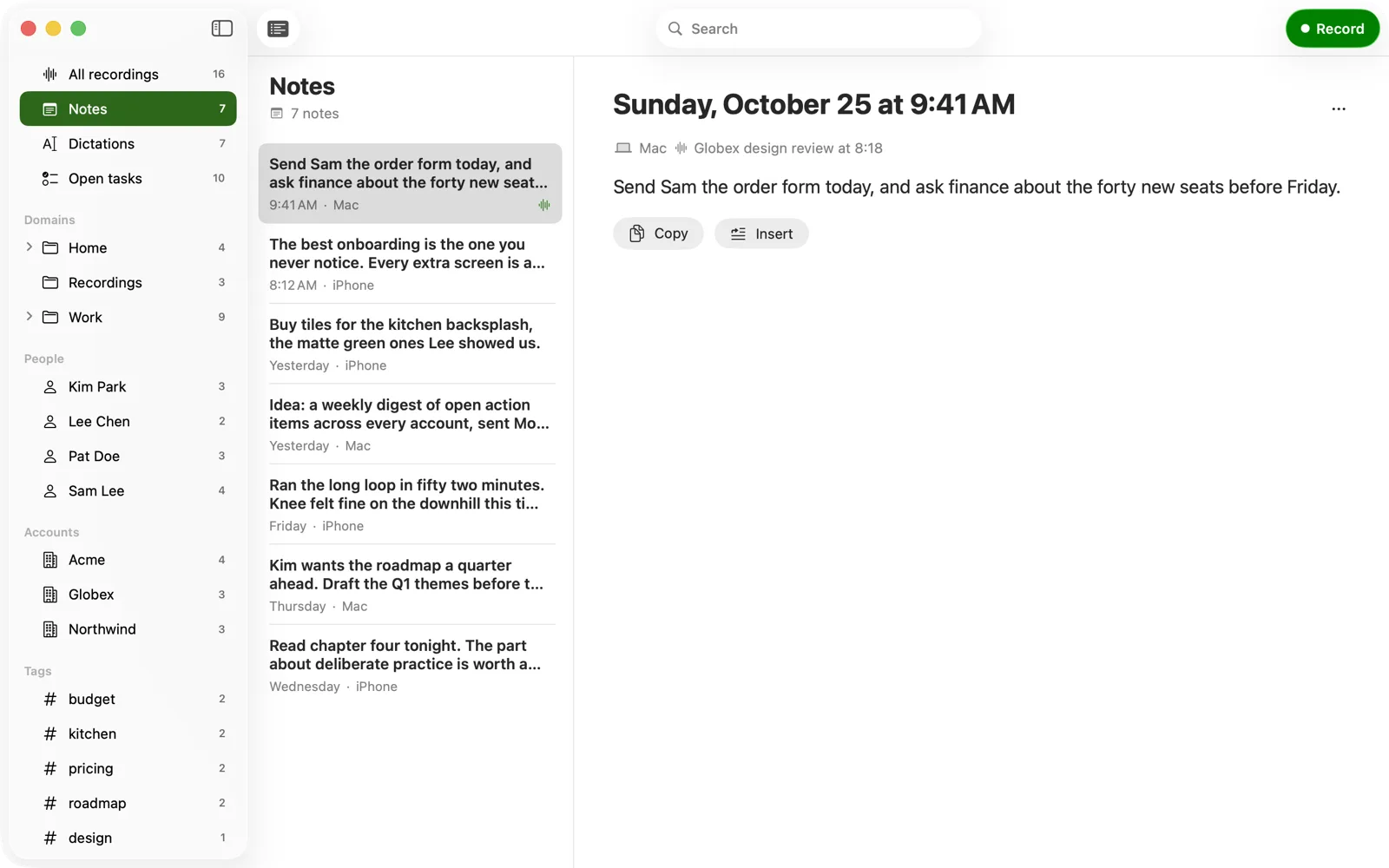
Two keys and one button. Everything stays on your Mac.
Pick an app. Every fact about it links to its own site, as of November 22, 2026.
Glyph JotFree Wispr Flow
 turns speech into text in its cloud and needs an account. Glyph Jot does it on your Mac, free, with no account.
Glyph JotWispr FlowYou want dictation on Windows or Android too, with emails and documents polished for you.
You are on a Mac and want dictation that never leaves it, free, with the code open.
Glyph JotFree Superwhisper
Both can turn speech into text on your device. Glyph Jot has no paid tier, and its code is open on GitHub.
Glyph JotSuperwhisperYou want local dictation on Windows or Android as well, or a choice of cloud models.
You are on a Mac and want dictation that never leaves it, free, with the code open.
Glyph JotFree Willow
 dictates through its cloud by default. Glyph Jot never sends your voice anywhere, and is free.
Glyph JotWillowYou want fast dictation on Windows or iPhone, with privacy settings on by default.
You are on a Mac and want dictation that never leaves it, free, with the code open.
Glyph JotFree Aqua Voice
 runs its model in the cloud and has no offline mode. Glyph Jot runs on your Mac, offline, for free.
Glyph JotAqua VoiceYou dictate code, names and commands all day and want a model trained on technical speech.
You are on a Mac and want dictation that never leaves it, free, with the code open.
Glyph JotFree Granola
 has no bot either, but sends the audio to cloud services and needs an account. Glyph Jot keeps the whole meeting on your Mac.
Glyph JotGranolaYour team shares meeting notes and wants them in the cloud, on Windows and phones too.
You are on a Mac and want meetings recorded, transcribed and summarized with no bot and no cloud, for free.
Glyph JotFree Otter
Otter transcribes in its cloud and can send a bot into your calls. Glyph Jot records with no bot and keeps it all on your Mac.
Glyph JotOtterYou want searchable transcripts of every meeting across a team, in the browser and on phones.
You are on a Mac and want meetings recorded, transcribed and summarized with no bot and no cloud, for free.
Glyph JotFree Fireflies
 records through a bot or system audio and works in its cloud. Glyph Jot records with no bot, offline, on your Mac.
Glyph JotFirefliesYour meetings should flow straight into your CRM and other team tools.
You are on a Mac and want meetings recorded, transcribed and summarized with no bot and no cloud, for free.
Glyph JotFree Fathom
 usually sends a bot into the call and works in its cloud. Glyph Jot records with no bot and never uploads anything.
Glyph JotFathomYou want a generous free plan for call summaries in Zoom, Meet and Teams.
You are on a Mac and want meetings recorded, transcribed and summarized with no bot and no cloud, for free.
The code, every release and every star are public on GitHub. These numbers are read from there.
Straight answers about Glyph Jot. Anything else, ask on GitHub.
Yes. There is no paid tier, no subscription and no word or minute limit. The code is open on GitHub under the MIT license.
No. Speech is turned into text by Apple's on-device model, and summaries and clean-up use Apple Intelligence on the Mac. Glyph Jot makes no network requests.
No. Click Record and it records your microphone and the Mac's sound. Nobody in the call sees a notetaker join.
Yes. Follow the consent rules where you and the other people are. Glyph Jot records what your Mac hears; asking first is up to you.
Yes. Dictation, recording, transcripts and summaries all run on the Mac, with or without a connection.
In a folder on your Mac that you choose, an Obsidian vault too. Notes are Markdown files, dictations are lines of JSON, and recordings are plain folders with an .m4a file.
An Apple silicon Mac on macOS 26 or later. Summaries, Command Mode and asking your history need Apple Intelligence; plain dictation and recording do not.
The Glyph app and the Glyph keyboard are in TestFlight testing, not on the App Store yet.
They work in their cloud and need an account. Glyph Jot does dictation and meetings in one app, on your Mac, with no account. See Compare for each app side by side, with sources.
Yes. One hour, live on your Mac, with the builder of Glyph: the apps, Jot dictation and meetings, and your AI agents on your own files. $149, and you pick the time right after paying.
Every app stays free. If Glyph saves you a subscription, you can support it monthly or once at glyph.fru.dev/support. Nothing is locked.
Glyph Native installs Glyph Jot and keeps it up to date.
Types into any app. Records any call.