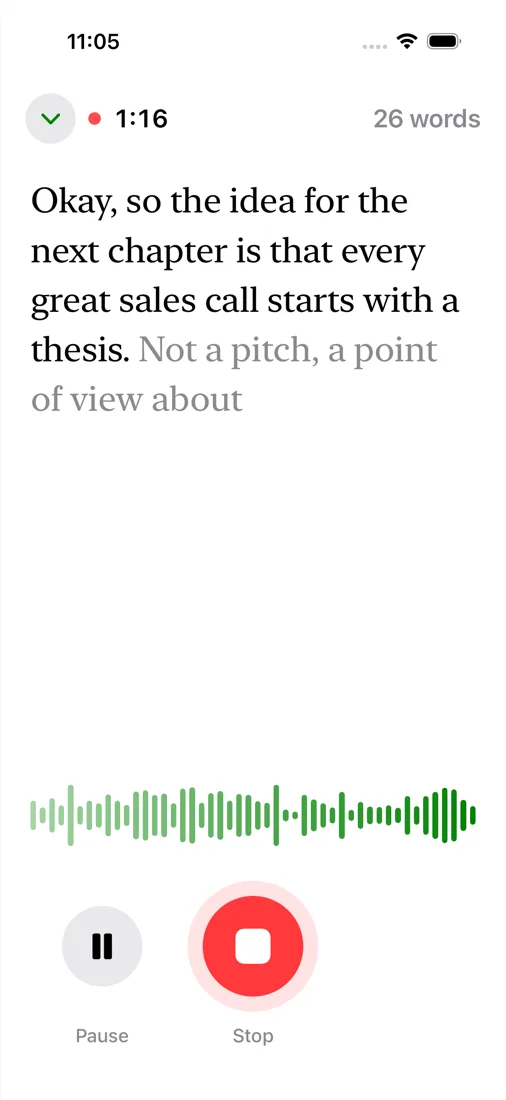
On iPhone: tap to talk
Open the Glyph app, tap and talk. The words appear while you speak, with Apple's on-device speech model, and the thought is saved as a note.
On Mac: Fn + Shift
In Glyph Dictate, hold Fn + Shift instead of Fn. Nothing is typed; the thought is saved as a Markdown note in the folder you choose, an Obsidian vault too.
Plain files
Each note is a text file, with the audio or a photo beside it, in the Files app and in Finder over the cable.
Tags, not folders
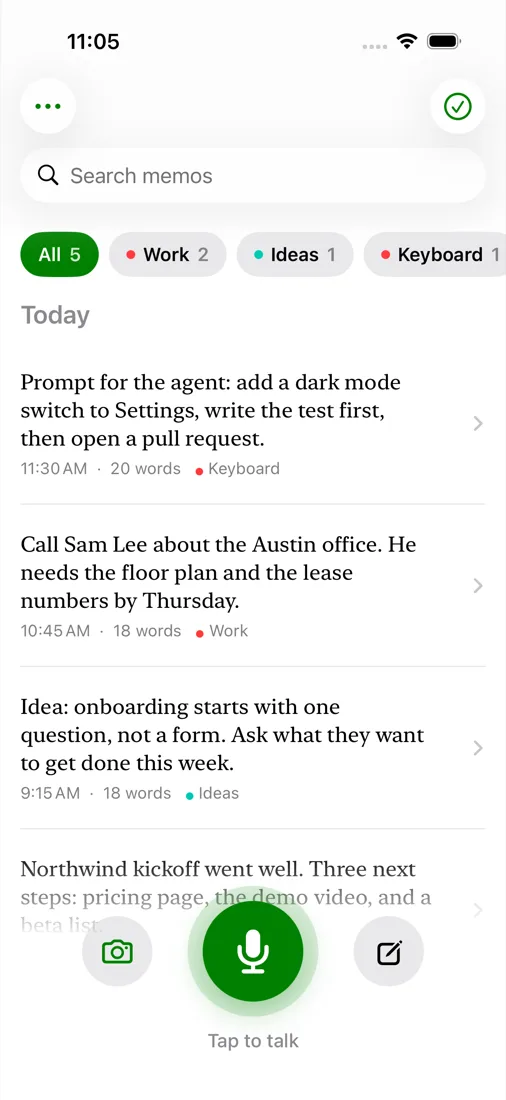
A note can carry several tags. A note that starts with "Task", "Idea" or "Prompt" is tagged for you.
Cleaned up
Ums and ahs are taken out, and "no wait" corrections and spoken lists are handled on the device.
Photos and typed notes
Take a photo or pick a screenshot, or type a quick note. Share anything to it from the Share sheet.
Copy what's new
Home shows the notes you haven't copied yet. Copy them all at once, with dates and photos, into Google Docs, Notes or Mail.
Status
The Glyph app for iPhone is in TestFlight testing. It comes to the App Store when testing is done; this page will say so.