On iPhone: the Glyph keyboard
In the Glyph app (in TestFlight testing): switch to the Glyph keyboard in any app, tap the mic and talk, and the words are typed at the cursor.
Hold to talk
Hold Fn, say what you want, and let go. The words are typed wherever your cursor is: email, chat, documents, forms, the terminal, any app.
Hands-free
Double-press the key and keep talking for as long as you like. Press it once more to stop.
Your choice of key
Fn by default, or Right Option, Right Command or Right Control.
Cleans up as you talk
Ums, ahs and false starts are taken out, and long rambles are tidied while you are still talking, so the text lands about a second after you let go.
Corrections
Change your mind mid-sentence. Say "Tuesday, no wait, Thursday" and only Thursday is typed.
A style for each app
Formal in Mail, relaxed in Slack and Messages, exact in the terminal.
Learns your words
Fix a name or a term it got wrong, and it spells it right from then on. Add your own words in the Dictionary.
Terminal and code
Say "dash dash", "slash" or "dot" and get the symbols. End with "send it" and it presses Return.
Fill a whole form
Say "Fill the form, name Sam Lee, city Austin, email sam at example dot com" and every field is filled. Password fields are left alone.
Rewrite what you selected
Select some text and say what you want instead: "make it shorter", "make it friendlier", "turn it into bullets".
Jot a thought
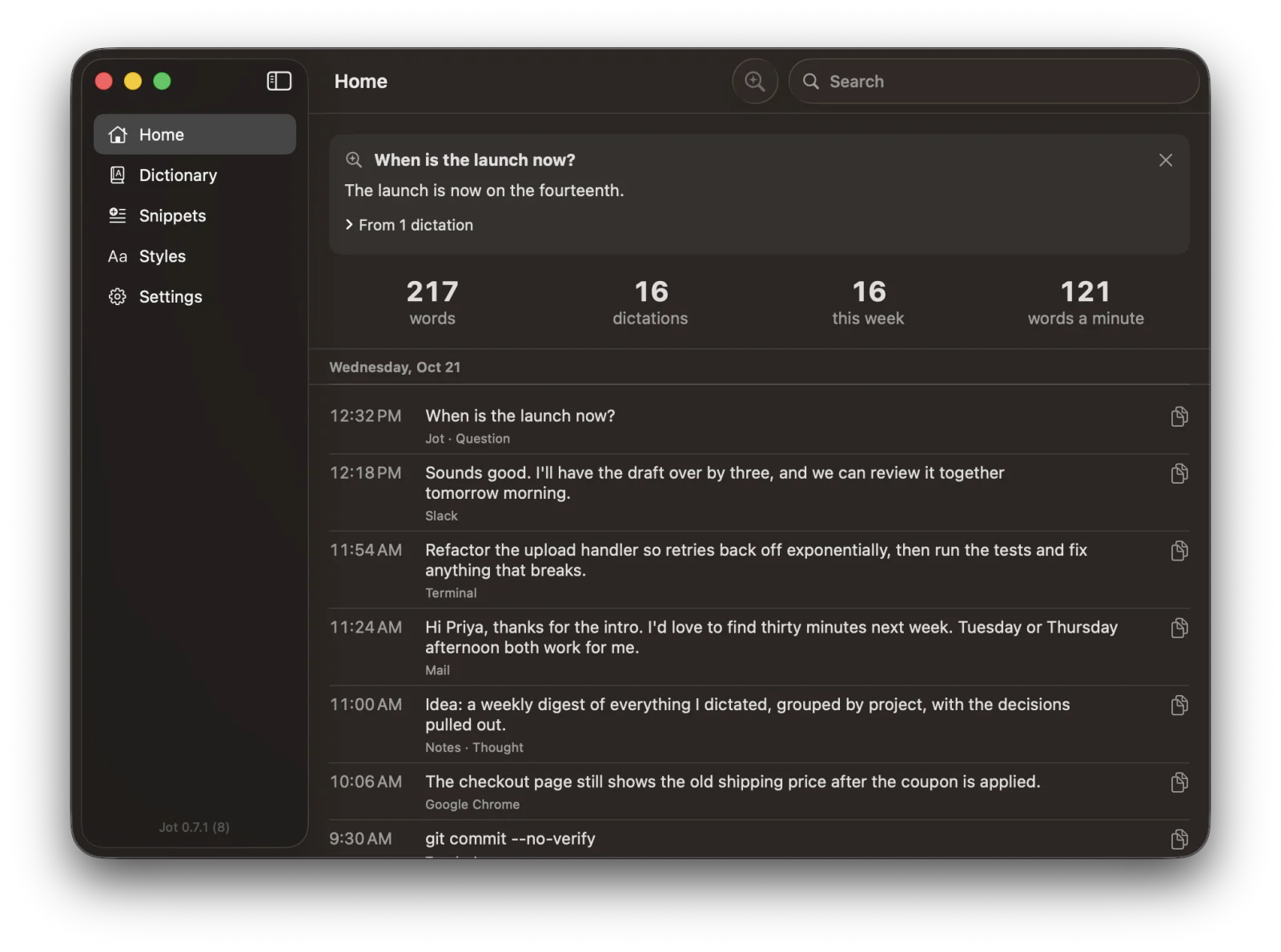
Hold Fn + Shift instead and nothing is typed: the thought is saved as a Markdown note in the folder you choose. That is Glyph Jot on the Mac.
Ask what you said
"When is the launch now?" It answers from your own dictations, on your Mac.
Never loses a ramble
What you say is saved as you talk. If anything goes wrong, it is on your clipboard.
Private by design
Speech and clean-up run on your Mac with Apple's own models. Nothing to download, no account, no audio saved, and it never types into a password field.
Needs
On Mac, an Apple silicon Mac on macOS 26 or later; free and open source. On iPhone, the Glyph app, in TestFlight testing.